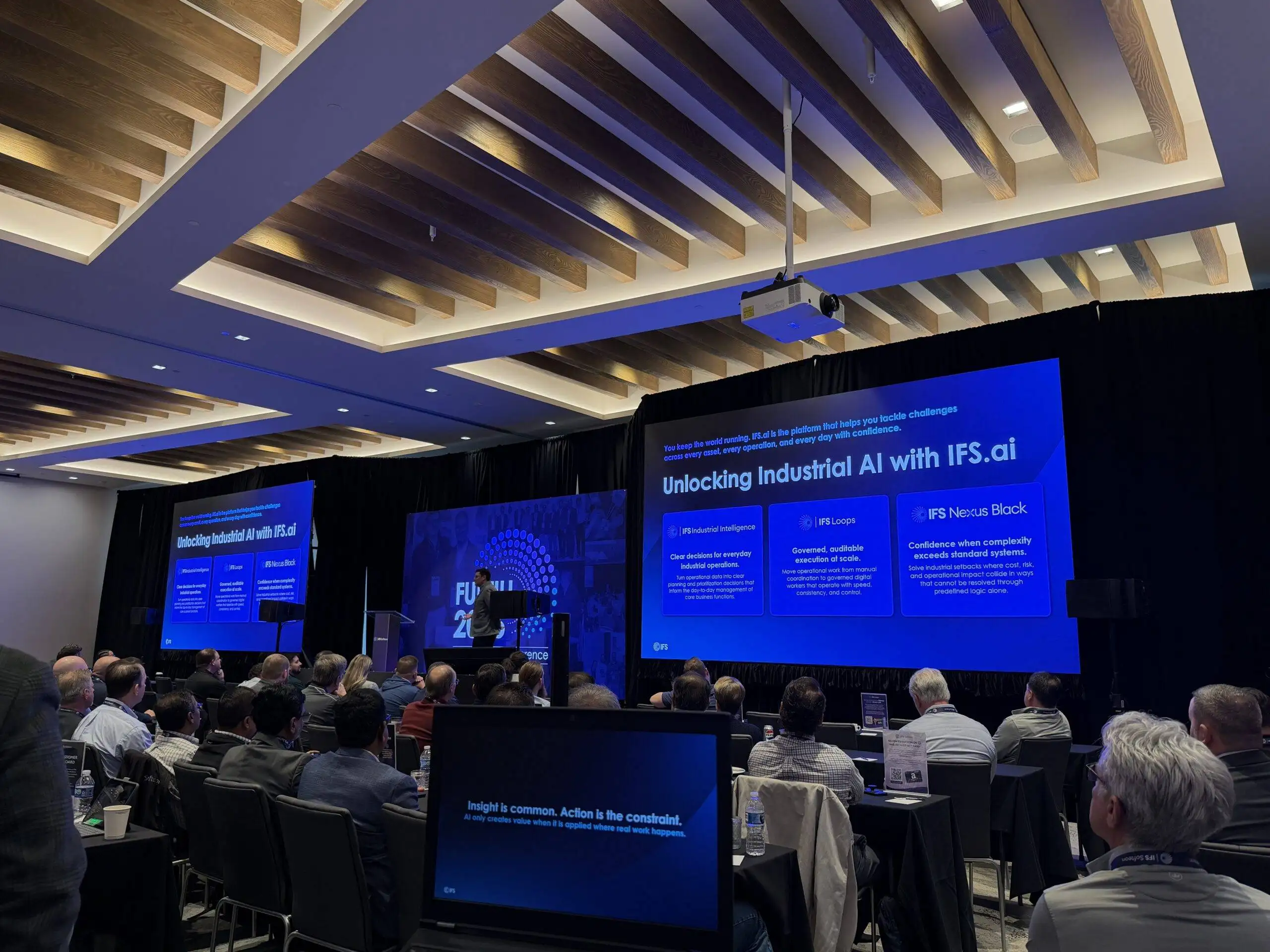
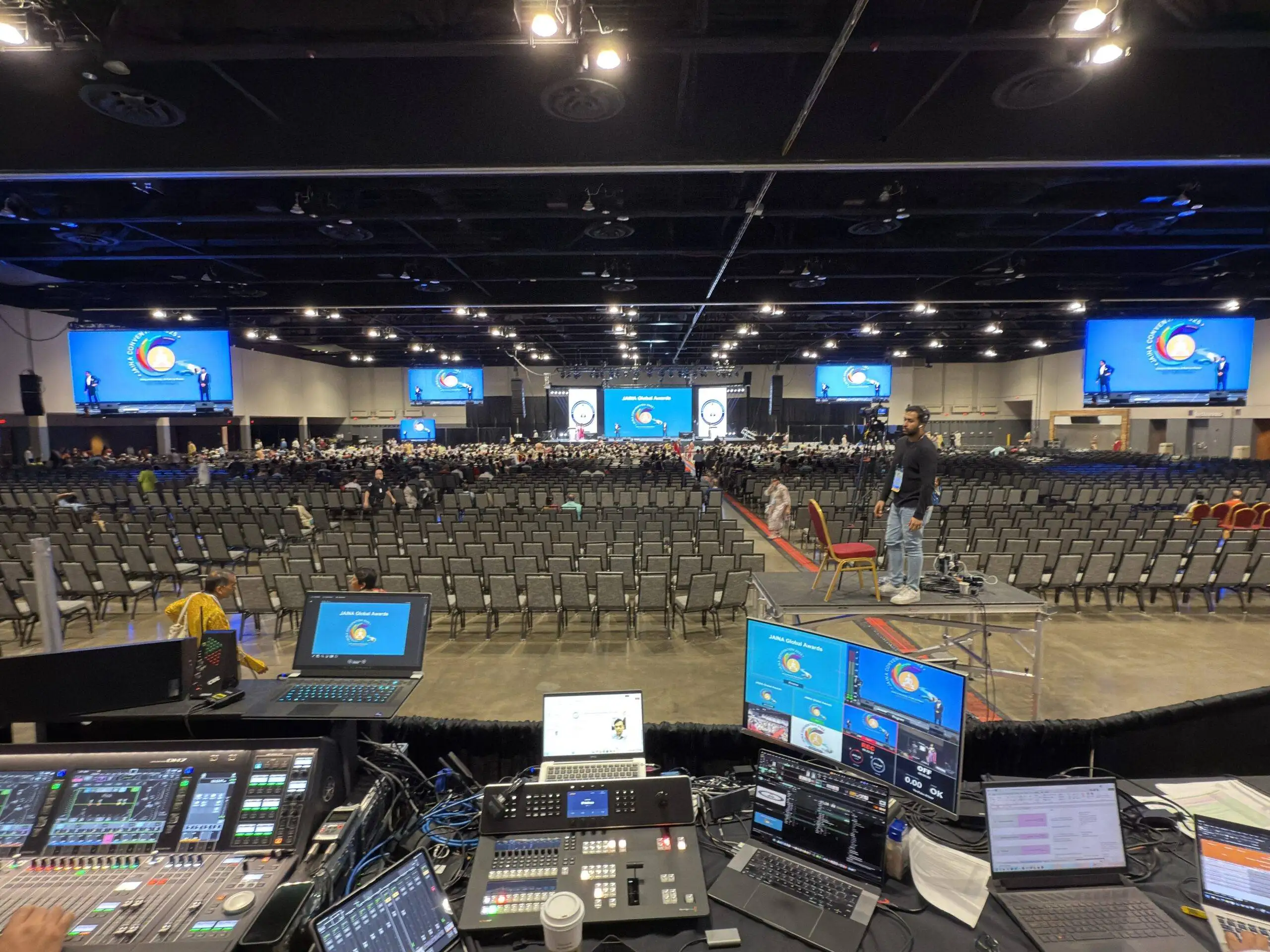
This week our crew was in a downtown Washington DC hotel producing the latest edition of a national cardiovascular conference, an annual meeting that brings surgeons and researchers together for a full day of case presentations, panel discussions, live device demonstrations, and moderated Q&A. Prime AV provided the full production: sound, lighting, LED video walls, cameras, show calling, and event coordination across the main session and the supporting rooms.
We have produced events in ballrooms like this across the DMV for years, and this one is a good picture of what conference AV production actually involves once the audience is seated and the first speaker walks to the lectern. Here is how the day was built, and what meeting planners can take from it.
The room: one ballroom, two LED walls, zero second chances
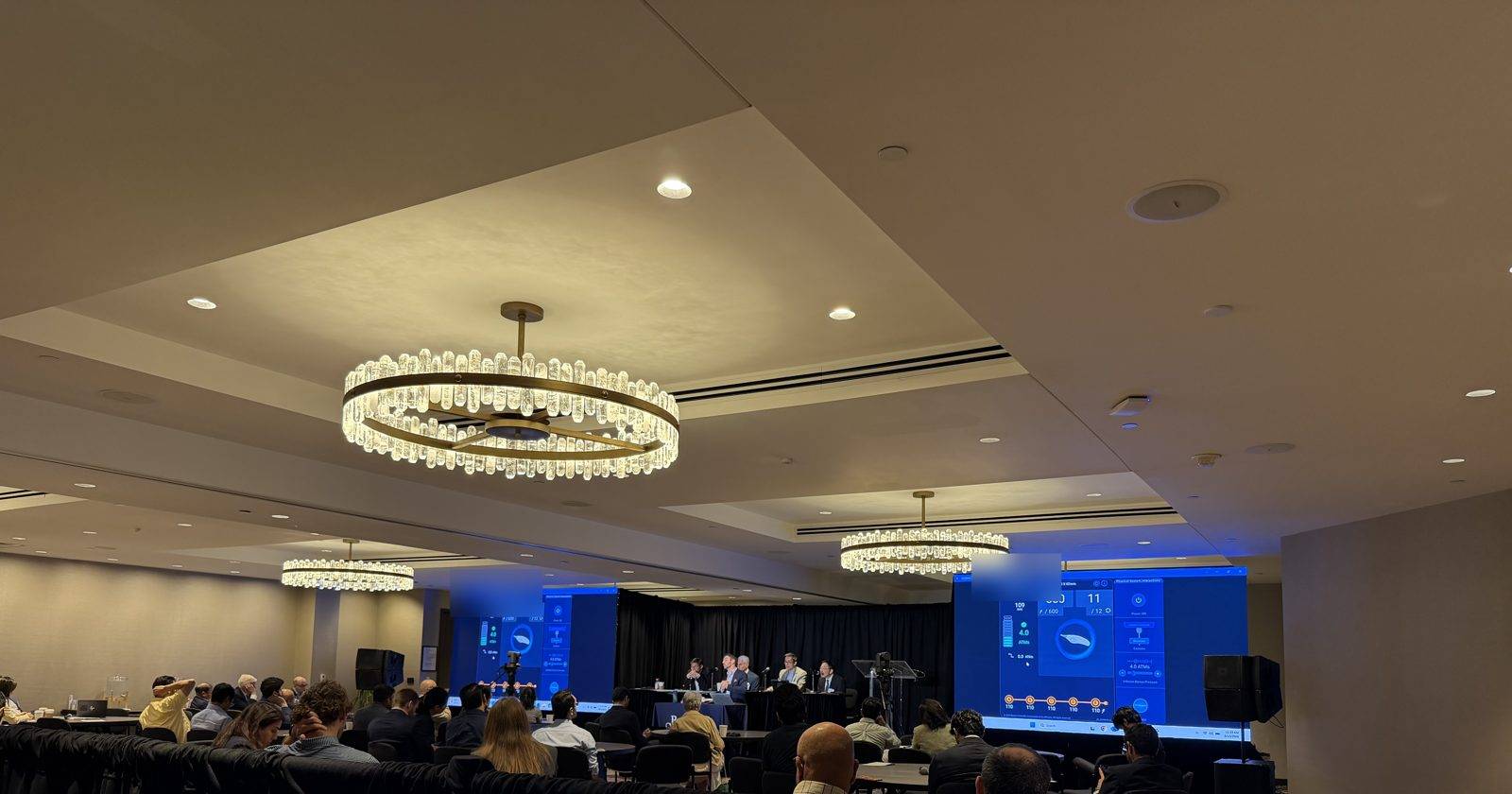
Hotel ballrooms are built for banquets first and presentations second. Chandeliers sit in the sightlines, ceilings step up and down, and the room is wider than it is deep. For a medical audience following angiograms and imaging on screen, a single center screen would have left half the room squinting.
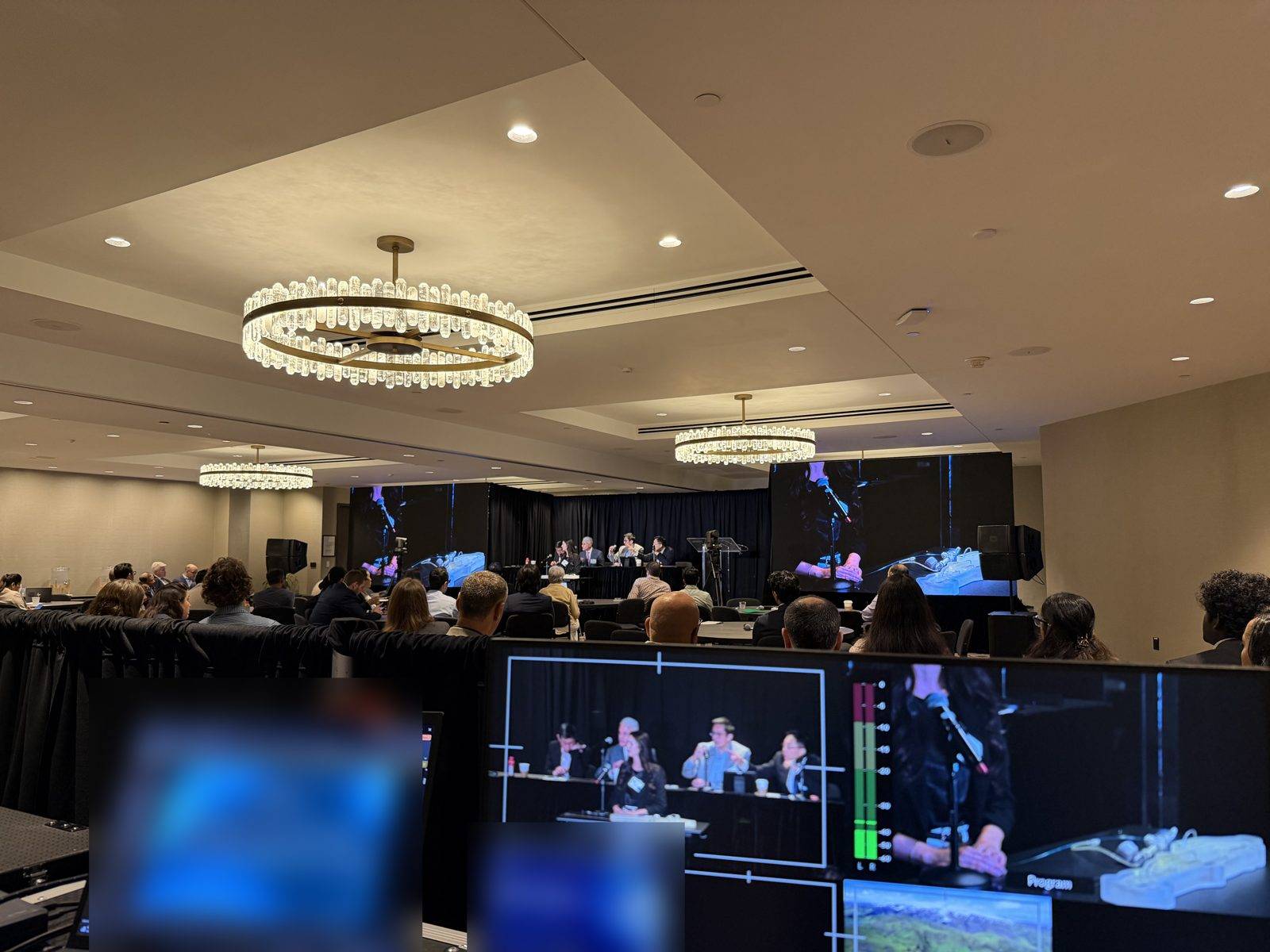
The answer was two matched LED walls flanking the stage, fed by the same video switch, so every seat had a clear, close line of sight. LED holds its color, contrast, and brightness even with the house lights up, which mattered here: the room stayed bright enough for note taking all day, and the imaging on screen never washed out. Stage lighting kept the head table and lectern lit for the audience and for the cameras without spilling onto the walls. Slides, imaging, and camera feeds hit both walls at the same moment. When the content is a catheter position or a scan, that detail is the difference between an audience that follows the case and one that gives up.
The live demos: putting a camera on the presenter’s hands
The part of this conference that no slide deck could carry was the live demonstrations. Presenters worked hands-on at a demo station, guiding wires and devices through an anatomical model, and the entire room needed to see exactly what their hands were doing.
We covered the demo table with a dedicated close-up camera and cut it live to both LED walls, so a tabletop procedure became a picture several feet tall from every seat in the ballroom. Behind the audience, an operator ran the switch with a preview and program workflow: the next shot is checked on preview before it ever goes to the walls, so the room sees clean cuts between the presenter, the demo close-up, and the supporting slides, never a fumbled source change.
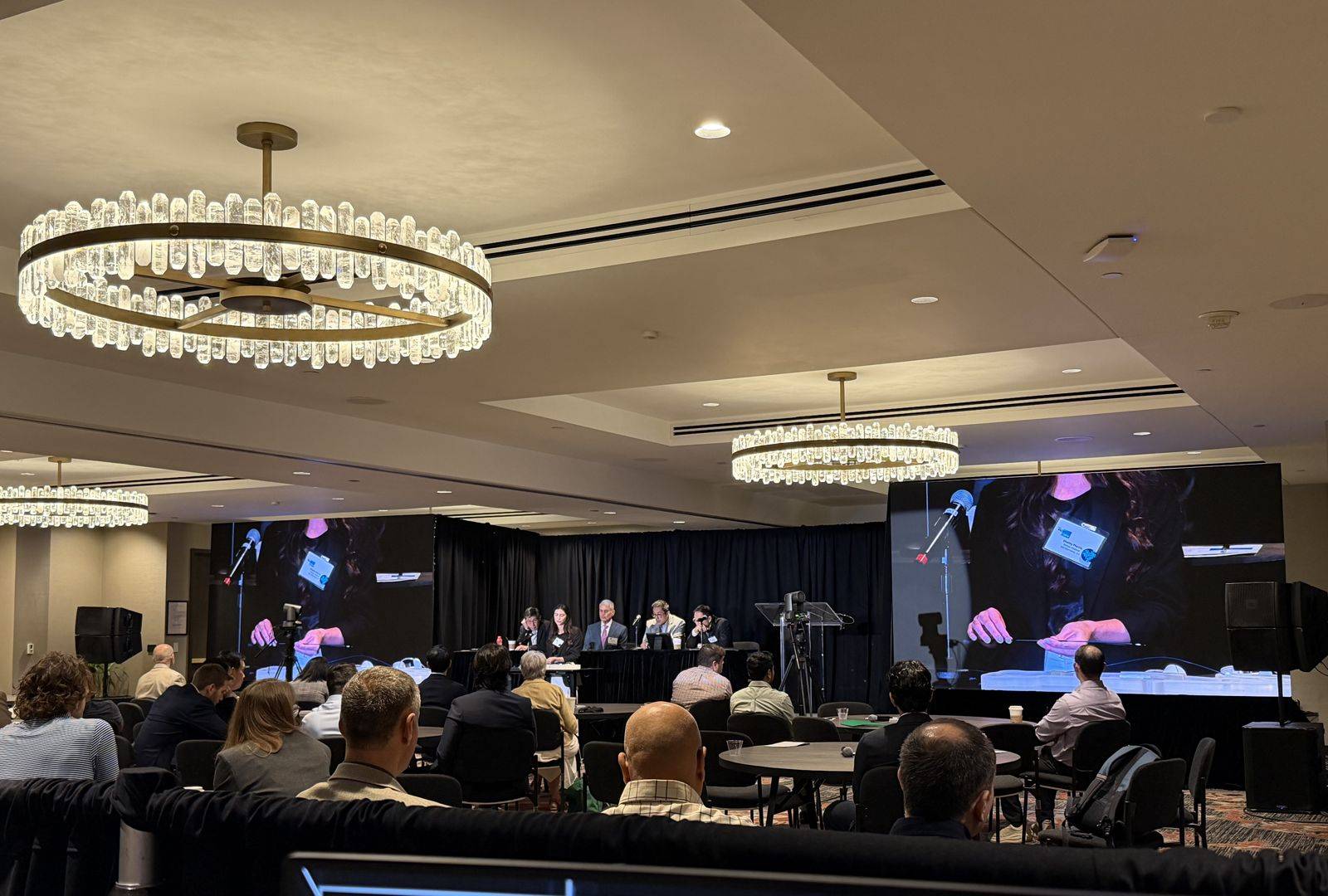
If your agenda includes a live demonstration, a product training, or any working-with-your-hands session, this is the setup to ask your AV company about. A demo the audience cannot see is a demo that did not happen.
The speaker preview room: no USB roulette at the lectern
A full day of presenters means a full day of slide decks, and the fastest way to wreck a conference schedule is collecting them at the lectern one flash drive at a time.
This event ran a speaker preview room: presenters checked in ahead of their session, loaded their presentations onto our shared network drives, and previewed their slides exactly as they would appear in the room. Because the drives were networked between the main session and the other rooms, every deck was staged and ready wherever that presenter was scheduled, with no walking files down the hallway and no last-minute swaps at the podium. When a speaker made a final edit an hour before their slot, the updated deck replaced the old one everywhere at once.
The presenters at this event were surgeons with a full day of sessions around their own talk, so we did not stop at collecting files. Our team took the time to go through each presentation and its embedded videos before it reached the stage: checking that fonts held, animations behaved, videos played with sound, and aspect ratios matched the walls, and fixing whatever we found. The surgeons walked to the lectern, their slides rolled, and nobody in the audience ever knew which decks had needed work an hour earlier.
For planners, this is one of the highest-value things you can add to a multi-speaker agenda, and it costs far less than the delays it prevents.
Audio: a panel, a lectern, and a room full of questions
The format mixed single presenters at a lectern with a moderated head table of panelists. That meant a lectern microphone, individual microphones across the panel, and audience Q&A, all running through a speech-tuned PA positioned to cover the seating without feedback. Panel discussions are where conference audio usually falls apart: several people, one shared conversation, and every microphone open at once. Mixing that live, with an operator on the console for the entire session, is what keeps it clean.
Capture: the meeting does not end when the room empties
The cameras covering the stage and the demo table also fed the session recording, synced with the presentation feed. For association and medical meetings this is increasingly the point: the room holds a few hundred people, but the recorded sessions work for members who could not travel, for next year’s promotion, and for the organization’s archive. If your conference has any life after the day itself, plan the capture before the day, not after. Our live streaming and recording team handles this as part of the production, not as an add-on vendor.
The part nobody sees: show calling and the tech table
At the back of the room sat the production position: the video switcher with its preview and program monitors, the audio console, camera shading, confidence monitoring, and the run of show, with an operator on each. A show caller ran the day against that run of show, cueing each transition: the walk-up, the deck, the demo camera, the Q&A microphones, the session change. Speakers advanced their own slides from the lectern; the show caller made sure the right deck was loaded from the network drive, the demo camera was framed before the cut, and every seam between sessions landed on time.
Event coordination started well before the doors opened: the site visit, the screen plan, the rehearsal with the demo presenters, and the minute-by-minute schedule agreed with the organizers. A conference lives or dies on these seams. If you are building your own agenda, our run of show template is the same structure we use to keep a full day on schedule.
What planners can take from this
Walk the room before you commit to a screen plan. Ballroom width, chandeliers, ceiling height, and how bright the room needs to stay decide whether you need projection or LED walls. This is a ten-minute conversation on a site visit and a very expensive surprise on event day.
Tell your AV company about demos early. A live demonstration needs its own camera, its own lighting, a switched feed to the screens, and a rehearsal. None of that can be improvised the morning of.
Give your speakers a preview room. A staffed room with networked drives means every deck is collected, checked, and staged in the right room before the session starts, and lectern surprises disappear. Your speakers are busy; let the AV crew be the ones who open every file, play every video, and fix what needs fixing.
Count your microphones by format, not by headcount. A lectern session needs one microphone. A five-person panel needs five, plus audience Q&A coverage. The agenda tells you the real number.
Decide on recording early. Capture affects camera placement, lighting, and audio routing. Retrofitting it the week before costs more and delivers less.
Put the day in writing, and put someone in charge of it. A run of show with a show caller on headset is the cheapest insurance a conference can buy.
Producing meetings and conferences across DC, Virginia, and Maryland
Medical meetings, association conferences, and corporate general sessions all come down to the same discipline: the right screens for the room, clean speech audio, lighting that works for the audience and the cameras, a speaker workflow that keeps decks moving, and a crew that calls the day. That is the core of our corporate meeting and conference production work as a Washington DC event production company, in hotel ballrooms and venues across the DMV.
If you are pricing out a conference, start with our AV production RFP template, or tell us the venue and the agenda and we will send a flat, itemized quote.
Medical conference AV production FAQs
What AV does a medical or association conference need?+
Most single-track conferences need screens sized for the room, a lectern microphone plus panel microphones, a speech-tuned PA, stage lighting, presentation switching with a confidence monitor, and an operator. Live demo cameras, a speaker preview room, and recording or streaming are added based on the agenda and how the content will be used afterward. Our AV services page covers the full menu.
Can a whole ballroom watch a live hands-on demonstration?+
Yes. A dedicated close-up camera on the demo station, switched live to LED walls or screens, turns a tabletop demonstration into a picture every seat can follow. It needs a camera operator, a switched feed, and a short rehearsal with the presenter.
How do speakers get their presentations into the room?+
The clean way is a speaker preview room: presenters load their decks onto shared network drives, preview them as they will appear on screen, and the files are staged automatically in the main session and every other room they present in. Our team also checks each deck and its videos beforehand, fixing font, playback, and formatting problems, so busy presenters can walk up and speak. No flash drives at the lectern, no versions lost in email.
How far in advance should a conference book AV production?+
For a hotel conference in the DC area, six to twelve weeks is comfortable. It leaves time for a site visit, a screen plan matched to the room, and a run of show built with your agenda. We can move faster when a date is close.
Planning a conference in the DC area?
Tell us the venue, the dates, and the agenda, and we will send a flat, itemized quote, usually the same day. Or book a consultation and we will walk the room with you. Planning something similar? Start with our DC event production company page.